After applying the HTPassw we need to create the Project. For Create project we need to use the command below. For run the command, the user must have cluster-admin privileges.
oc new-project test
In Red Hat OpenShift, Role-based access control (RBAC) determines whether a user can perform certain actions within the cluster or project. We can choose between two role types, depending on the user’s level of responsibility: cluster and local.
To give/add a user cluster-admin privileges we can run the command below.
oc adm policy add-cluster-role-to-user cluster-admin bob
By default, OpenShift includes a ClusterRole called self-provisioner. Any user with this role can create their own projects through the web console or CLI. The role is cluster-wide and assigned to the system:authenticated:oauth group by default. That means: every authenticated user can create projects unless you remove/change this role binding. To assign this role we can use the below command.
oc adm policy add-cluster-role-to-user self-provisioner john
In production, remove the self-provisioner role from the system:authenticated:oauth using the below command.
For RBAC we need to assign user role and there permissions on specific namespace/project. For assign user roles we need to use the command below as per needed
oc adm policy add-role-to-user view natasha -n apollo
It is the best practice to remove the kubeadmin secret from kube-system name space.
We can also use Groups like other systems, For Create a Group we can use the command below.
oc adm groups new site-users
For add use in groups we need to use the command below.
oc adm groups add-users site-users bob
we can also add multiple use in a single command. In this case OpenShift consider first name as group name and next name as user name one by one.
For add multiple user in a single command we can use below command.
oc adm groups add-users site-users john susan
For Check the user under the group we can use below command.
oc get group
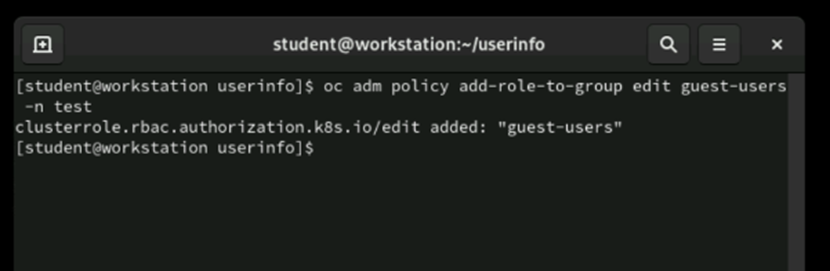
We can also give the privilege group to namespace/project using below command.
oc policy add-role-to-group edit site-users -n test
RBAC in OpenShift is not just about permissions — it’s about governance, security, and scalability. Managing self-provisioners, roles, and groups ensures your cluster remains secure and your teams productive.
Expert in VMware | Red Hat| Backup | Storage Solutions
Author of this blog Shaokat Ullaha is professional in IT filed, Specialist in VMware, Cloud Solutions, DevOps, Backup and Digester Recovery
#Categories
#Follow Me
SUBSCRIBE TO RACHEL MOOR BLOG
#Recent Post
#Leave A Comment
Subscribe To Newsletter
Get Notification of each & every new blogs through your e-mail
This is a blog platform where I share my personal experiences and insights, encouraging others to share theirs as well so we can learn from each other and grow together